

How To Get Zte Z835 Phone Off Google Lock
How to Bypass Google Account Verification on ZTE
Bypassing Google account verification in ZTE phones may become a challenging job. But if you lot have the right tool in paw, the process becomes quick and easy. In this article, yous will read nigh some constructive ways of how to featherbed Google account on zte and delete a Google business relationship later manufactory reset.
With the Android Lollipop 5.1 update, Google came up with a new security feature for mobiles. To heighten the security of your ZTE phone, you lot may utilise the FRP (Factory Reset Protection) feature, which is an in-built data protection feature. Information technology is designed to render protection to the private data stored on the device in an unfortunate issue like mobile getting stolen or lost.
Although this feature is extremely useful, it can notwithstanding crusade some serious issues. If you forgot to delete a Google account earlier performing a reset in your ZTE phone, or before giving information technology to trade, the FRP lock will be activated to enter Google verify page. Moreover, if you lot have not taken whatsoever notes of your Google ID and countersign, then, yous may search for ways on how toremove a Google accountfrom your ZTE telephone.
In the coming parts of the article, you'll learn well-nigh how to unlock a google locked ZTE telephone. So, permit's begin!
Further Reading: How to Unlock Android Tablet without Google Business relationship >
How to Delete a Google Account on ZTE afterwards Factory Reset
Since working on a computer can make things a bit complicated, you can featherbed Google account on ZTE even without a computer. Follow these below-listed instructions:
Footstep 1: Reset your ZTE phone and turn it on. Select your preferred language and click on the Start button.
Step 2: Connect your device to a strong Wi-Fi network and proceed to configure your device.
Step 3: Now, become to the Verify Account screen by skipping a few steps.
Step 4: Click on the Email Address every bit it will activate the keyboard. Then, click on the menu key and choose the Settings pick.
Pace 5: Within the SwiftKey, select the Languages choice and minimize the carte.
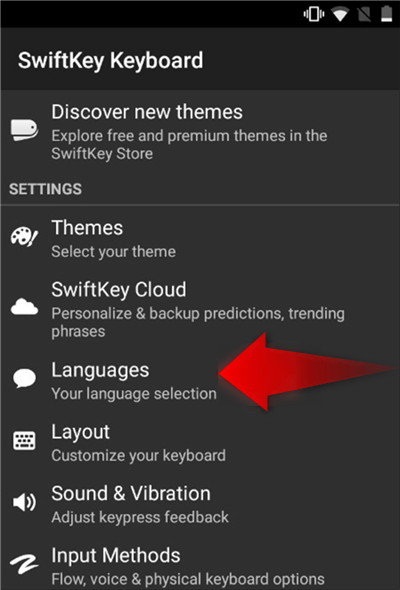
Bypass ZTE Google Business relationship with Swiftkey
Step 6: Select the No, Thank you option when asked to sign in with a Google account.
Step 7: Become to the Google search bar and type Settings, and cull it.
Stride 8: Now, select the Backup and Reset option. One time washed, click on the Factory Information Reset option to reset your ZTE telephone again.
Step 9: Switch on your device once again.
Now you won't come across the FRP lock screen once more.
How Do I Remove a Google Account from my ZTE Phone?
If you no longer want to utilise the mill reset protection in your ZTE phone, then you can consider removing your Google account. With this, you volition be able to deactivate the FRP characteristic of the operating system of your ZTE phone. Moreover, you lot won't require your Google ID and password to go along using your device. You'd amend to remove your Google account before a factory reset or selling your onetime phone. Now, let's check out what needs to be done to delete the Google business relationship:
Step 1: Click on the Settings icon in the telephone menu or on the home screen.
Step 2: Look for the Accounts option in the menu and tap on it to open information technology.
Pace 3: All the accounts linked to your ZTE device will appear here. Click on the Google business relationship to delete it from the device.
Step iv: The data linked to your Google business relationship will appear now. Tap on the Remove account choice to keep.
Step five: Hit the Remove account choice in the confirmation message.
Once you remove the Google account from your ZTE mobile, all the data of the business relationship will exist deleted automatically.
How to Bypass Pivot from ZTE
There are several means to tighten the security of your ZTE phone, such every bit using a PIN to lock information technology. Information technology keeps strangers away from accessing the data of your phone. However, if you forget information technology due to any reason, you volition be locked out of your device if you enter the wrong Pin multiple times. However, there is no need for you lot to panic in such a state of affairs.
Wondering why? Merely because you can bypass Pin from your ZTE phone using DroidKit. It is a professional Android phone unlocker, which will make the job of screen unlocking effortless for you. Whether you accept set a PIN, numeric password, pattern lock, fingerprint, etc. for your device'due south security, you can unlock it immediately without facing any challenges.
With this avant-garde Android telephone unlocker, yous won't need to root your ZTE phone. Thus, you'll be able to employ your device usually. Post-obit are some meridian-notch features of DroidKit, have a look at them:
- You can unlock ZTE phones without fingerprint ID, passwords, face recognition, etc.
- Except for ZTE mobile, y'all tin unlock more than 20000 models of Android phones and tablet
- It comes with an interactive interface which makes unlocking easy
Steps to Use DroidKit to Featherbed PIN from ZTE
Get the latest version of the DroidKit on your PC and pursue the following instructions:
Step i: Install and launch Droidkit on your PC. On the post-obit window, click on the Screen Unlocker mode.
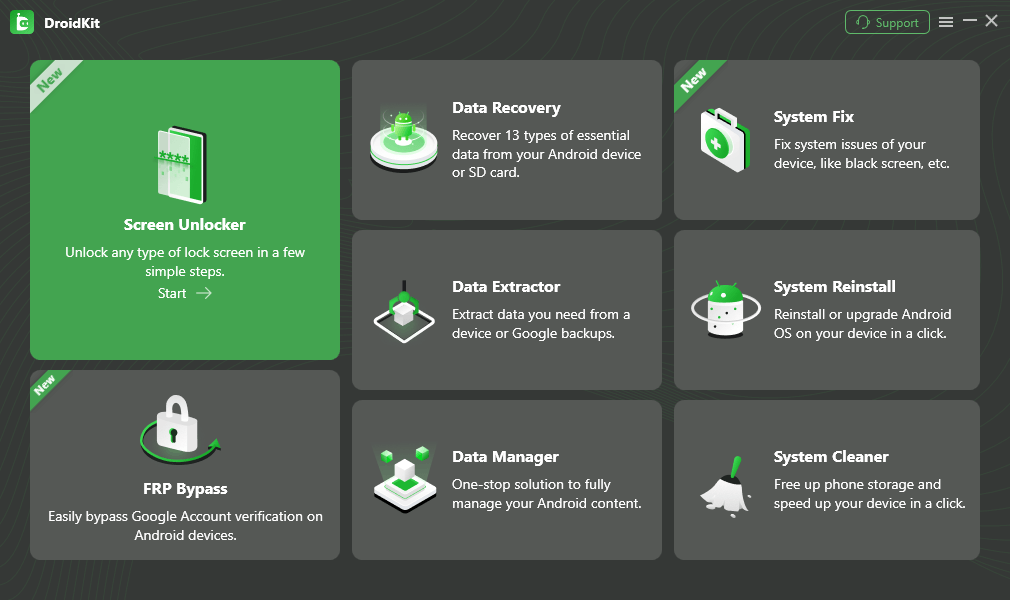
Choose Unlock Screen Function
Step 2: Using a cable, connect your ZTE device to the PC and tap on the Start push to continue.

Connect your Locked Phone
Stride iii: After the preparing procedure is completed, click on the Remove Now push.
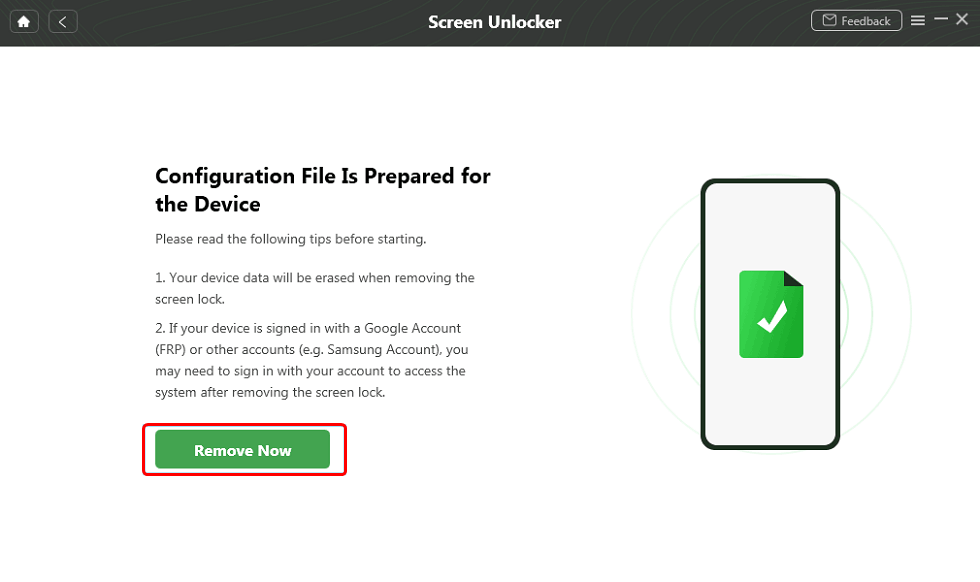
Click Remove Now Button
Step 4: Now, confirm your device brand and follow the on-screen instructions to remove screen password.
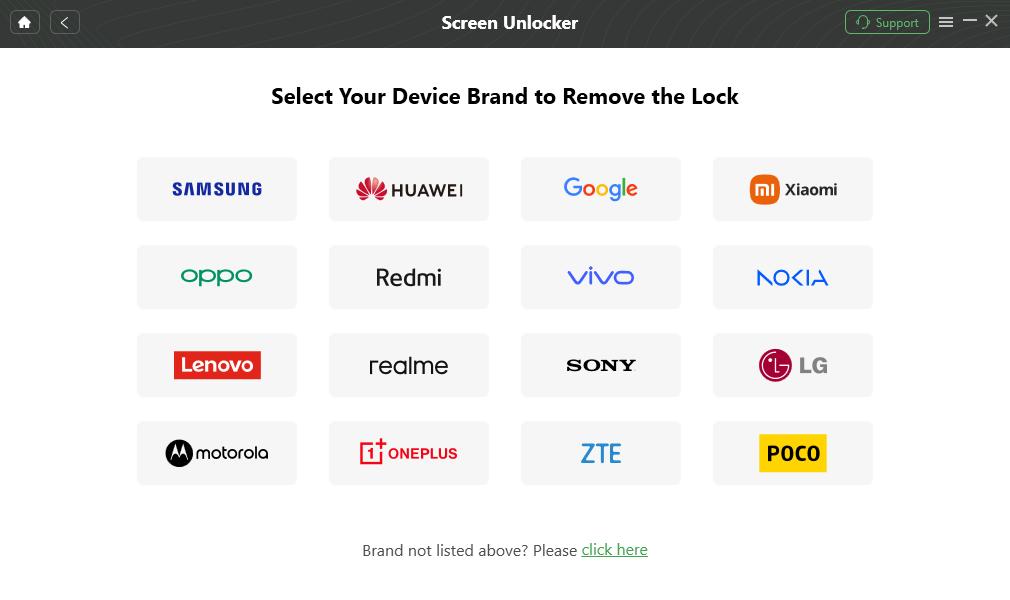
Ostend your Device Brand and Go along
Stride 5: DroidKit will get-go removing the Android screen lock. After a few minutes, screen lock removal will be completed.
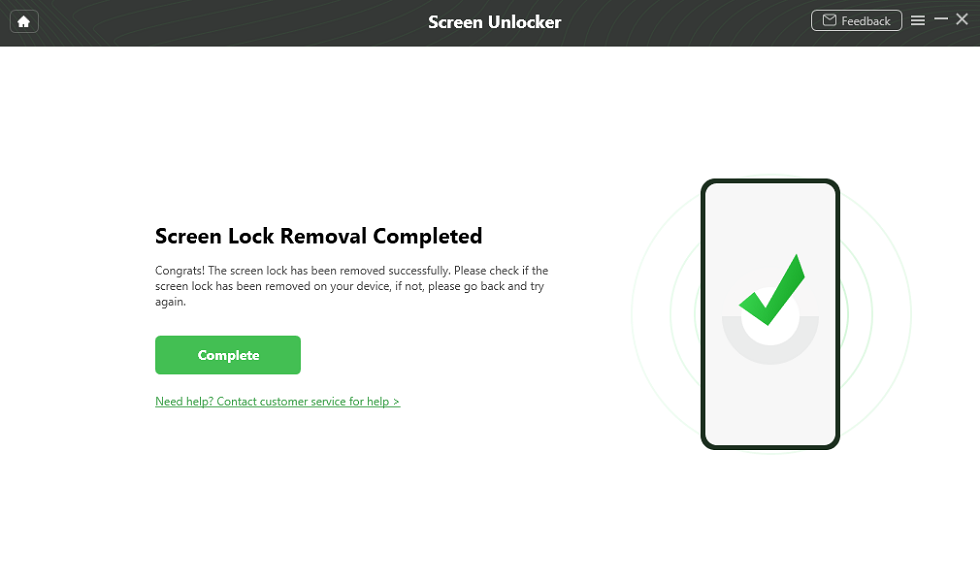
Lock Screen Is Removed and Your Android Phone Is Reset
That'southward how you lot will be able to bypass Pin from ZTE within a few minutes with DroidKit.
The Lesser Line
That's a wrap for how to bypass Google account on ZTE. You tin can use any of the fixes listed above to access your device. Also, to avoid whatsoever such situation in the time to come, make sure that you don't forget the Google ID and password, else you would have to delete the Google account using the above-listed method.


How To Get Zte Z835 Phone Off Google Lock,
Source: https://www.imobie.com/android-unlock/how-to-bypass-google-account-on-zte.htm
Posted by: alexanderyescupon.blogspot.com
0 Response to "How To Get Zte Z835 Phone Off Google Lock"
Post a Comment